
fund360:bank_reconciliation_and_investment_reconciliation_and_allocation
Bank Reconciliation and Investment Reconciliation and Allocation
Overview
This process covers reconciling bank activity for a period, recording investment returns, and allocating those returns to the appropriate funds. Once investment activity balances and allocations are completed, a journal entry is posted and reconciled, and the bank reconciliation is closed when all activity ties to the bank statement.
Purpose
You perform this at the end of each month after you have:
- Bank Statement
- Investment Statement
- All cash transactions entered
What the System Will Do
When completed, Fund 360 will:
- Update fund balances
- Allocate gains/losses proportionally
- Create journal entries
- Allow period to close
Steps
- Go to Bank Reconciliation Tab/Object
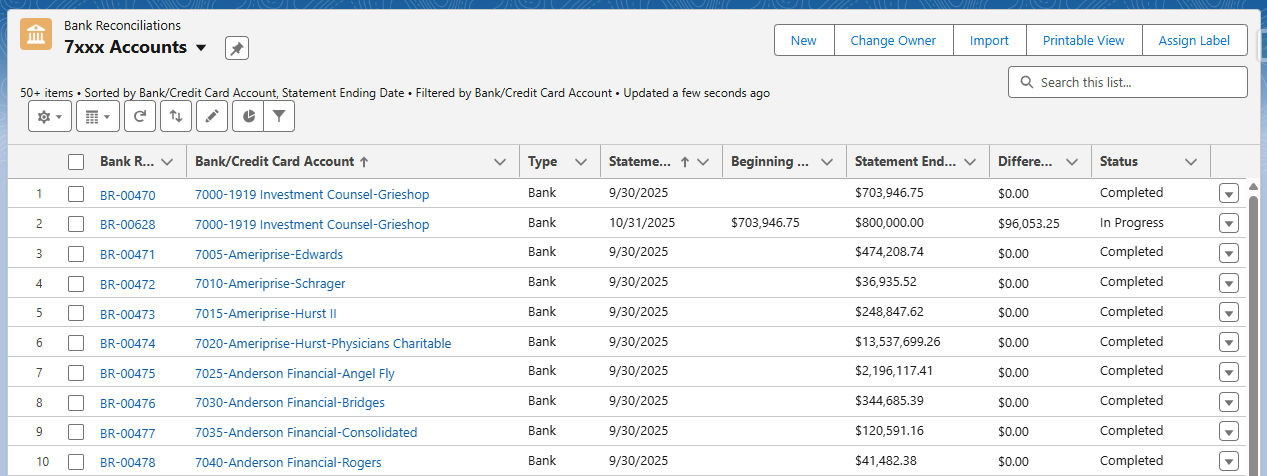
- Locate and open one of the Bank Reconciliation records
- Click the Create Next Button
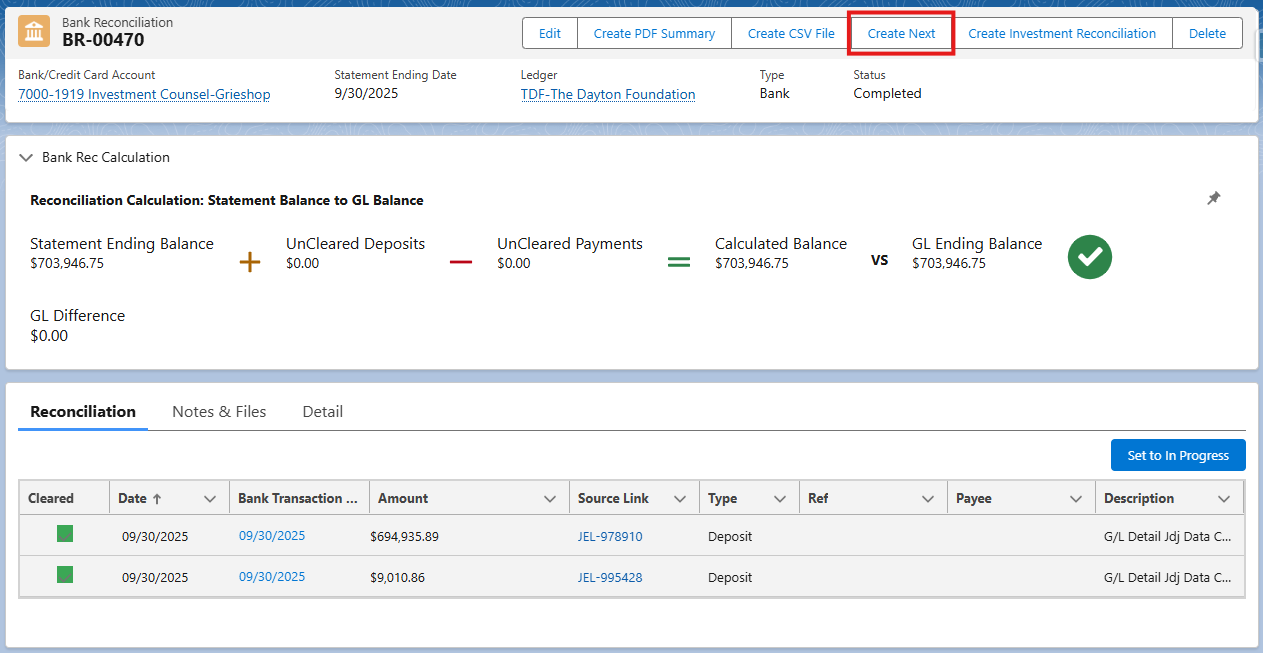
- Enter the Statement Ending Date and Statement Ending Balance, then click Save
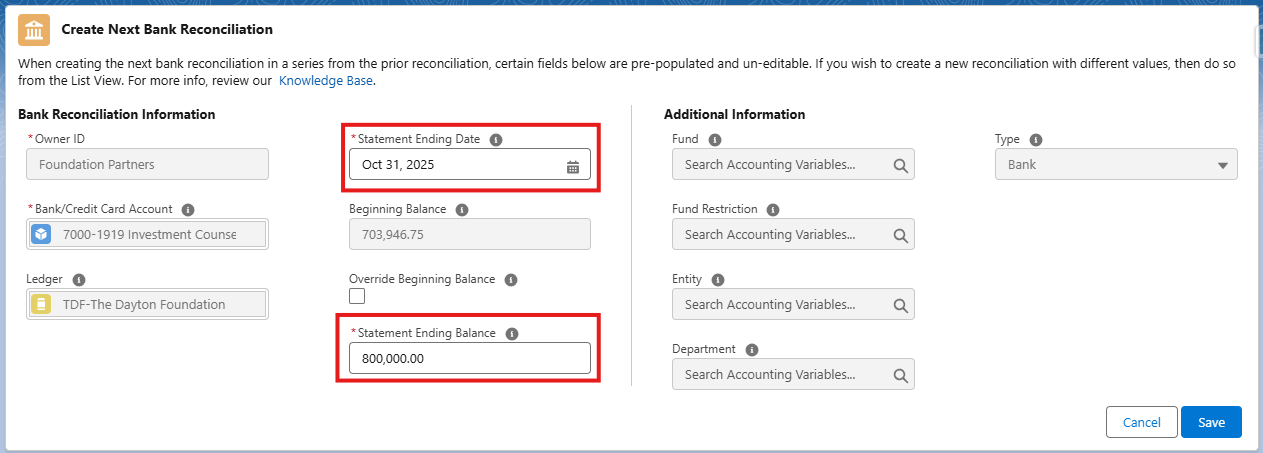
- A Bank Reconciliation for the period to be reconciled will be created. Clear the deposits and withdrawals for the period
- When ready to record the investment returns, click the Create Investment Reconciliation button

- Enter or confirm the Start Date and End Date, click continue

- Click the hyperlink with the pop-up window to open the Investment Pool Reconciliation record
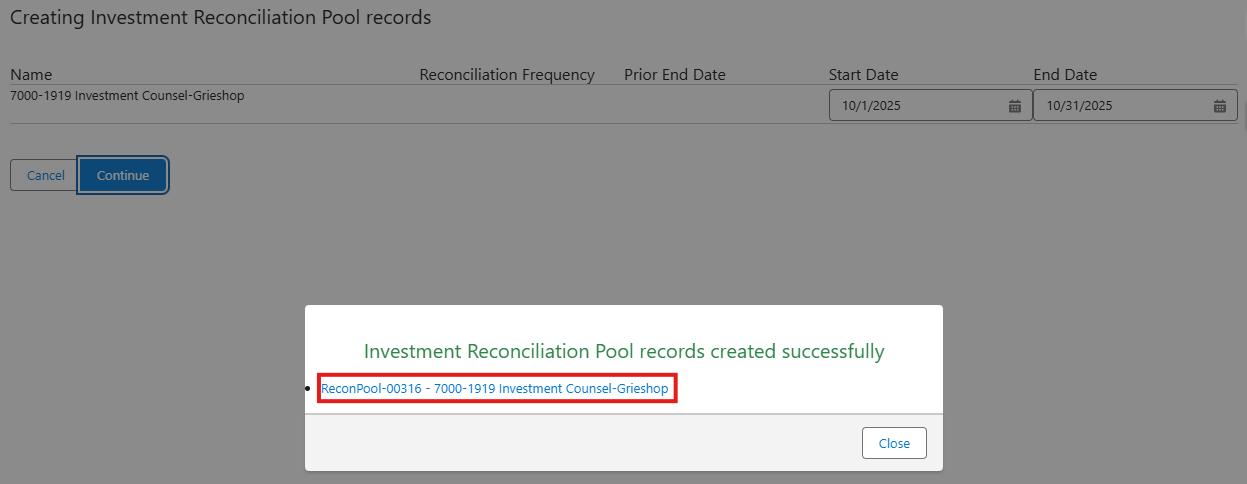
- If you are unsure whether you have already created the Investment Reconciliation Pool record for the current period, you can navigate to the Investment Reconciliation Pools object/tab and use the list views to see what already exists

- Within the Investment Pool Reconciliation record, click the hyperlink into the Investment Account Reconciliation record (ReconAcct-0xxxx)
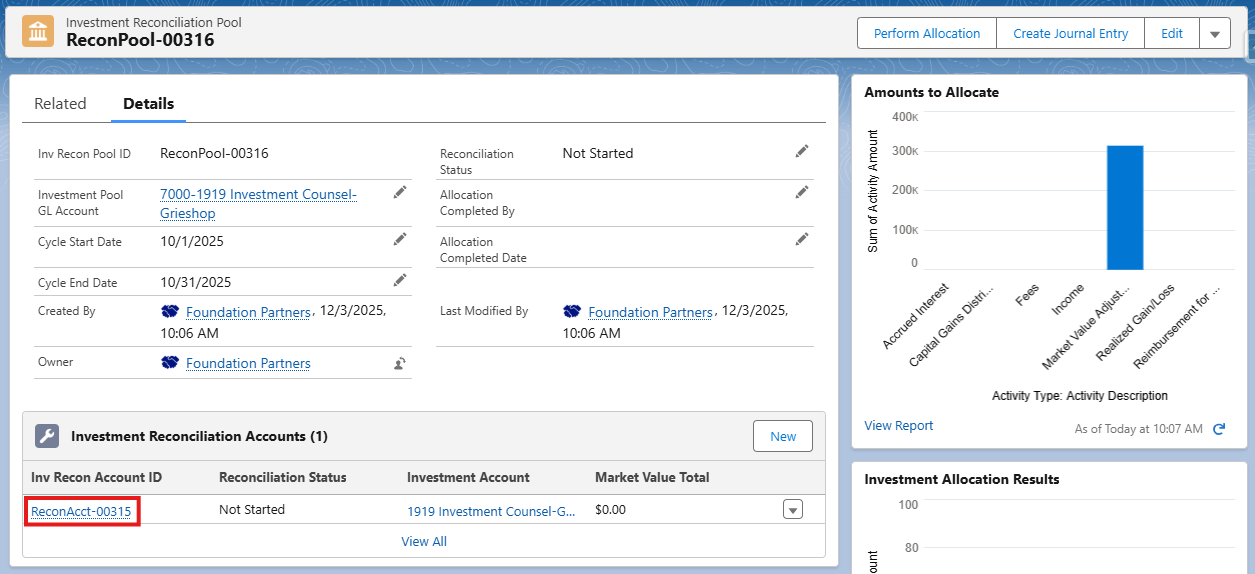
- Within the Investment Account Reconciliation record, use the Investment Assets tab to input the Market Value and Cost by Asset Class
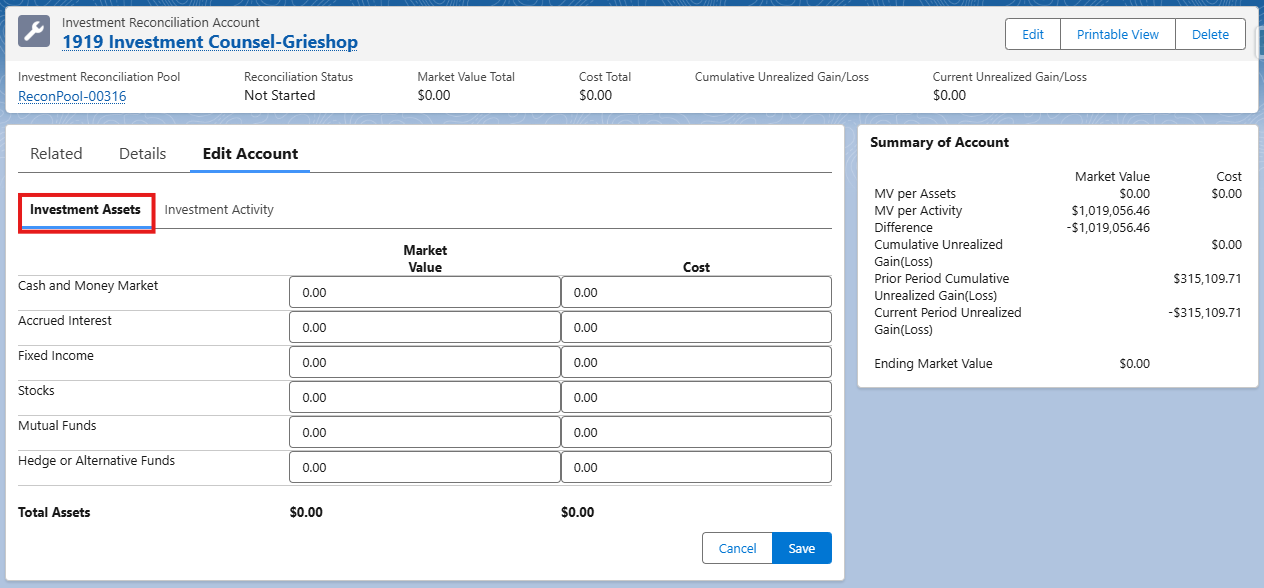
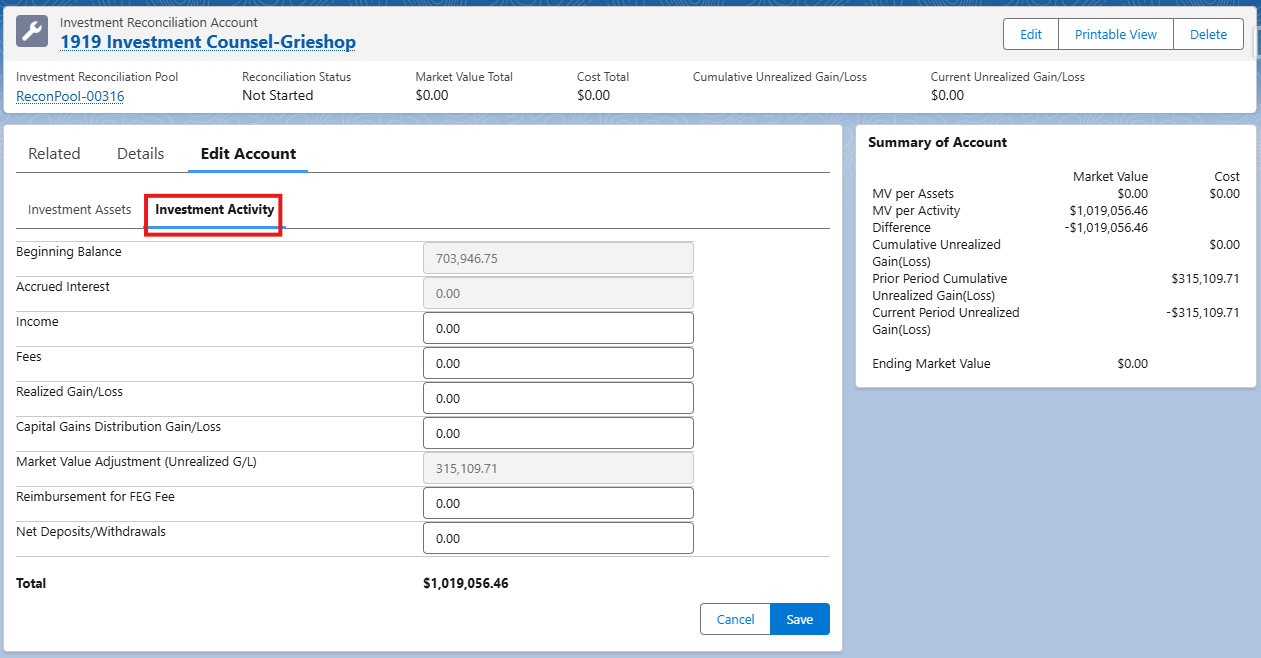
- Within the Investment Account Reconciliation record, use the Investment Activity tab to input the Income, Fees, Gains/Losses, Net Deposits/Withdrawals
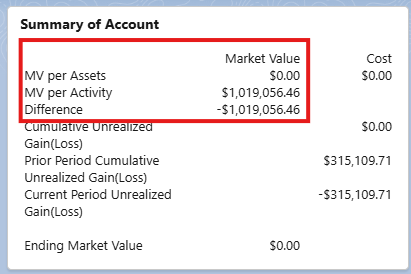
- The account reconciliation will be deemed “complete” when the MV per Assets and the MV per Activity lines show equal amounts and the Difference is equal to $0.00.
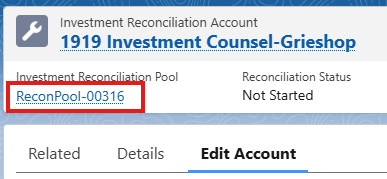
- When the account reconciliation is complete, return to the Investment Reconciliation Pool record, via the hyperlink in the top of the page.
- Within the Investment Reconciliation Pool record, click the Perform Allocation button to initiate the calculation of investment allocation to each of the funds invested in the pool. You will receive an email when the allocation calculations have finished.
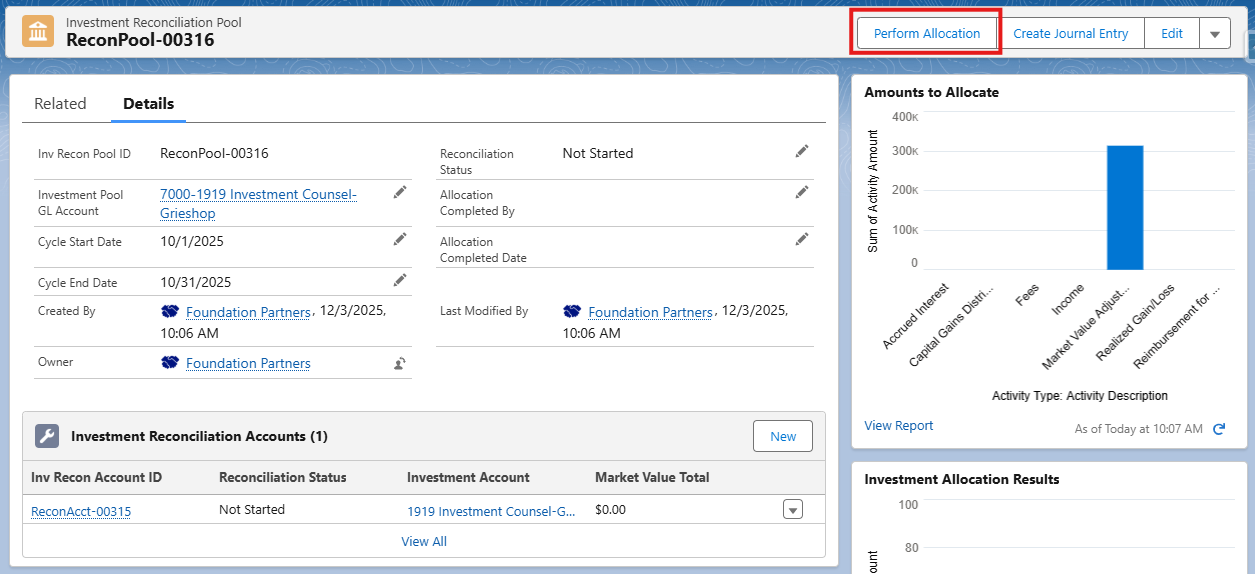
- Use the report charts within investment pool reconciliation record to open the report and view allocation results.
- Click the Create Journal Entry button to create and post a journal entry recording the allocation of investment returns to each of the funds invested in the pool.
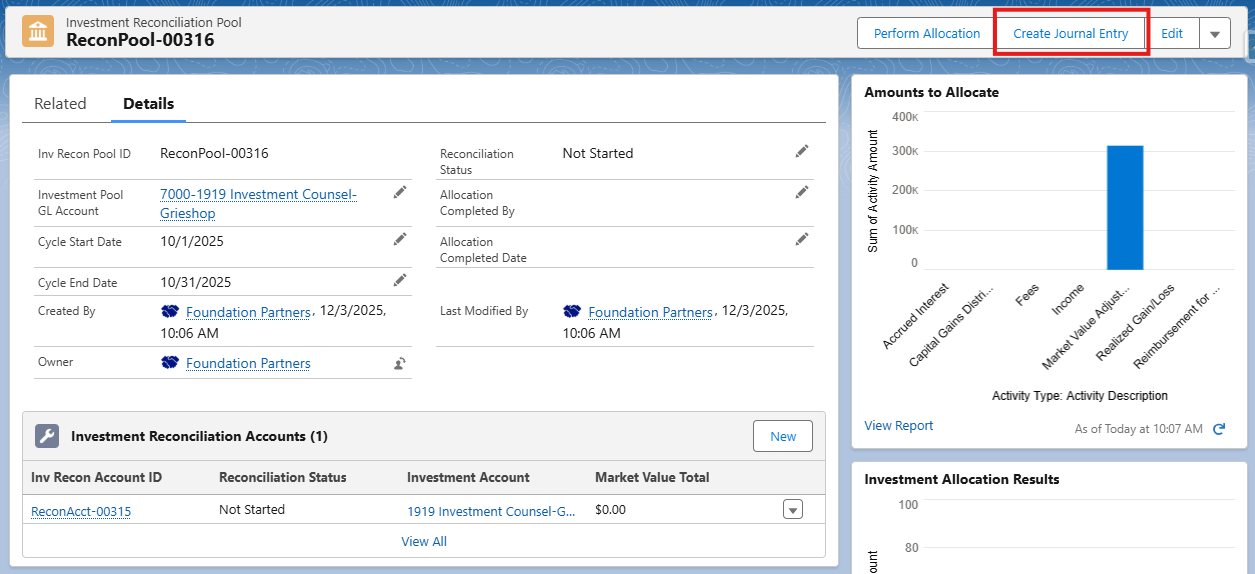
- After posting the allocation JE, return to the Bank Reconciliation record where you will now see the allocation JE lines available to be reconciled within the bank reconciliation.
- When the deposits, withdrawals, and allocation activity ties out to the bank statement, click the Set to Completed button to close out the bank reconciliation for the period.
fund360/bank_reconciliation_and_investment_reconciliation_and_allocation.txt · Last modified: by christina.gill