
Spending Policy and Grant Budget
Overview
Spending Policy determines how much each fund may distribute in a fiscal year in accordance with foundation policy and IRS guidelines. The foundation defines calculation rules (Spending Policy Codes), applies them to funds, and runs the annual calculation to establish each fund’s grant budget. The resulting amounts are then recorded in the system and used to control how much can be granted during the year.
Content
Spending Policy Code
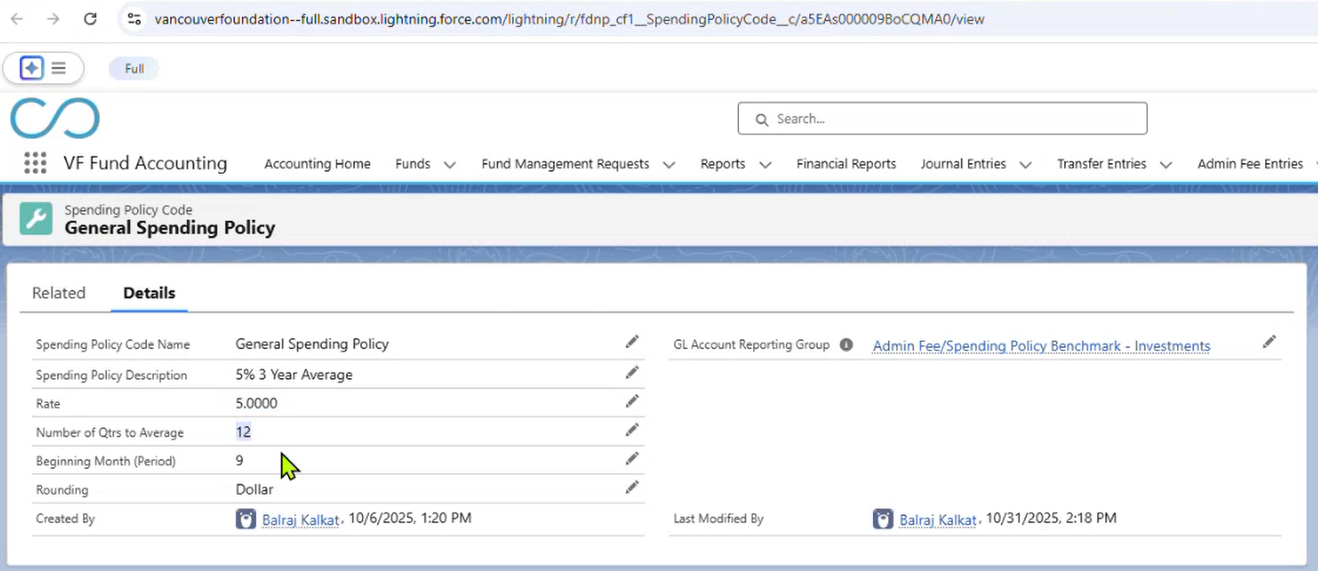
Spending Policy Codes define how spendable amounts are calculated. Spending Policy Codes are typically configured once and only updated if the foundation changes its distribution rules. A Spending Policy Code includes: Spending rate (e.g., 5%) Averaging method (e.g., average of ending balances) Number of quarters used for averaging (e.g., 12 quarters) Starting period/quarter for calculation
This allows foundations to calculate spendable amounts consistently across multiple funds using the same policy.
This screenshot shows a Spending Policy Code record configured with a 5% rate and a 12-quarter averaging period:
Fund-Level Spending Policy Assignment
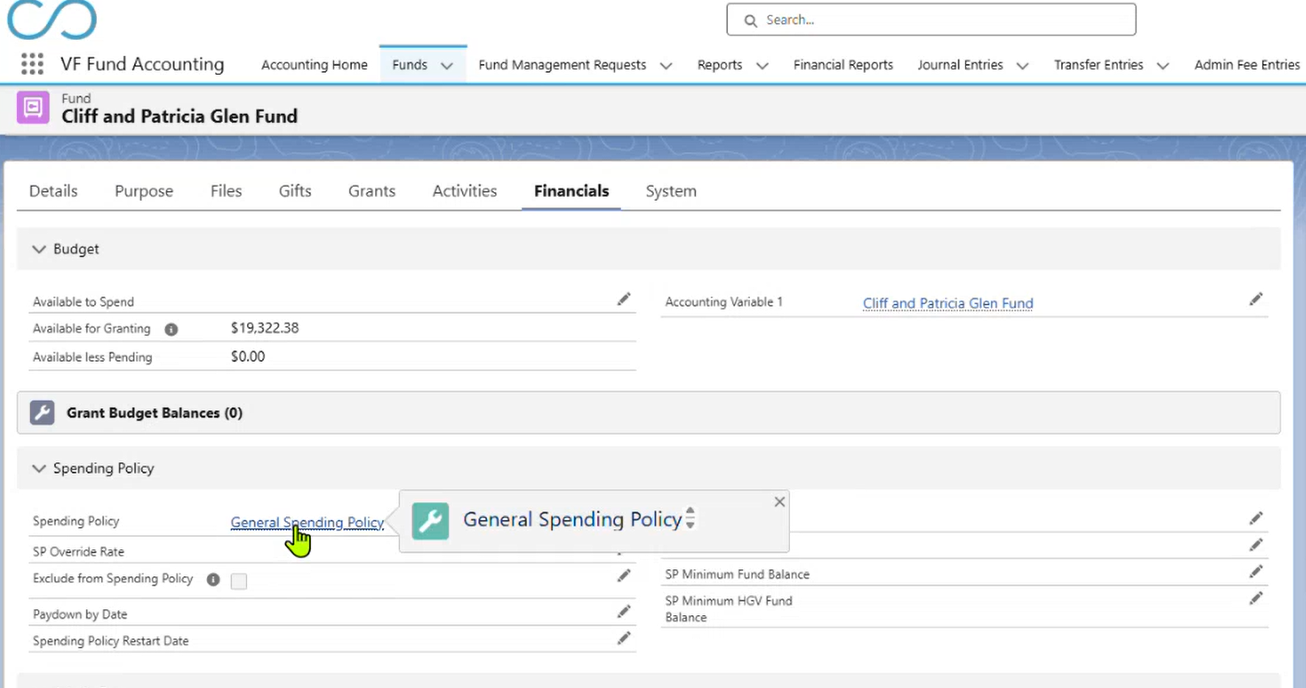
Funds that are subject to Spending Policy are assigned a Spending Policy Code directly on the Fund record. Once assigned: The fund becomes eligible for Spending Policy calculations The fund will be included when a Spending Policy Entry is run for that policy category
This screenshot shows a Fund record with a Spending Policy Code assigned:
Spending Policy Override Rate
While most funds follow a standard Spending Policy rate (e.g., 5%), some funds may require a custom rate. To avoid creating numerous Spending Policy Codes:
- An Override Rate may be defined at the Fund level
- During calculation, the system applies the override rate for that fund instead of the default policy rate
Example:
- General Spending Policy Code = 5%
- Fund Override Rate = 6%
- The fund’s Spending Policy Amount is calculated using 6%
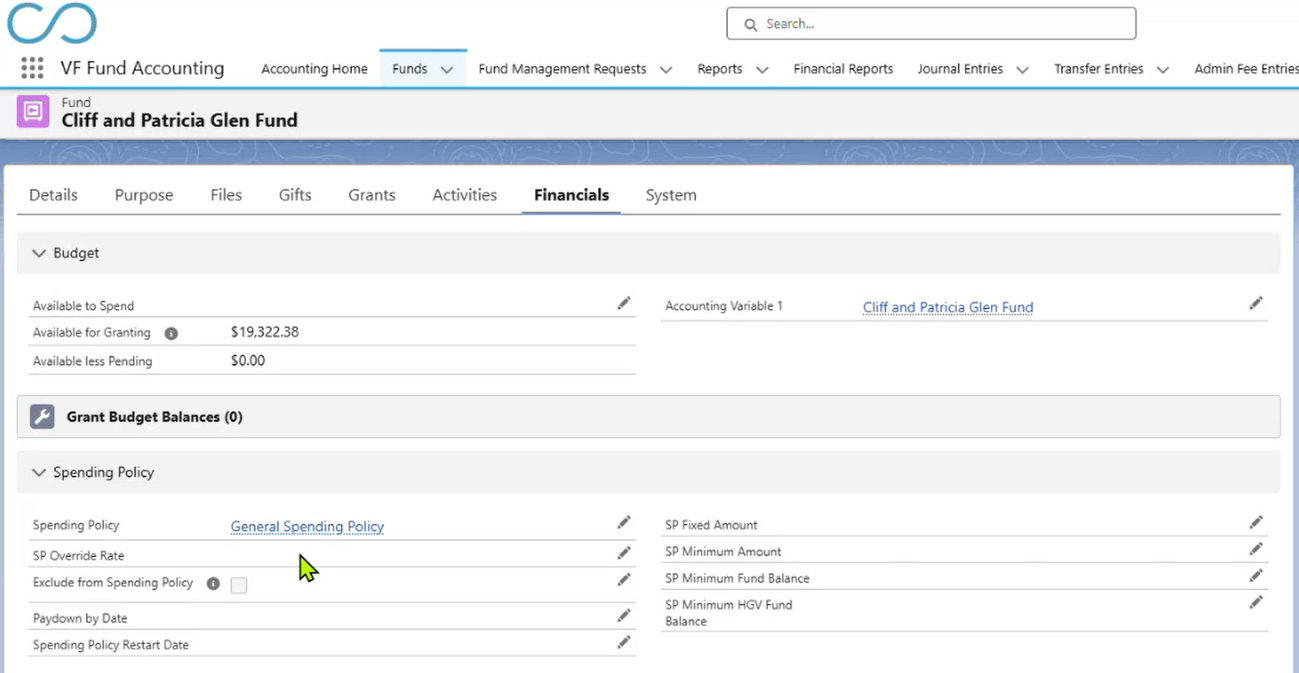
This screenshot shows that if a Fund had a Spending Policy Override Rate, the field would be populated (in this particular example it is not):
Spending Policy Entry (Calculation Setup)
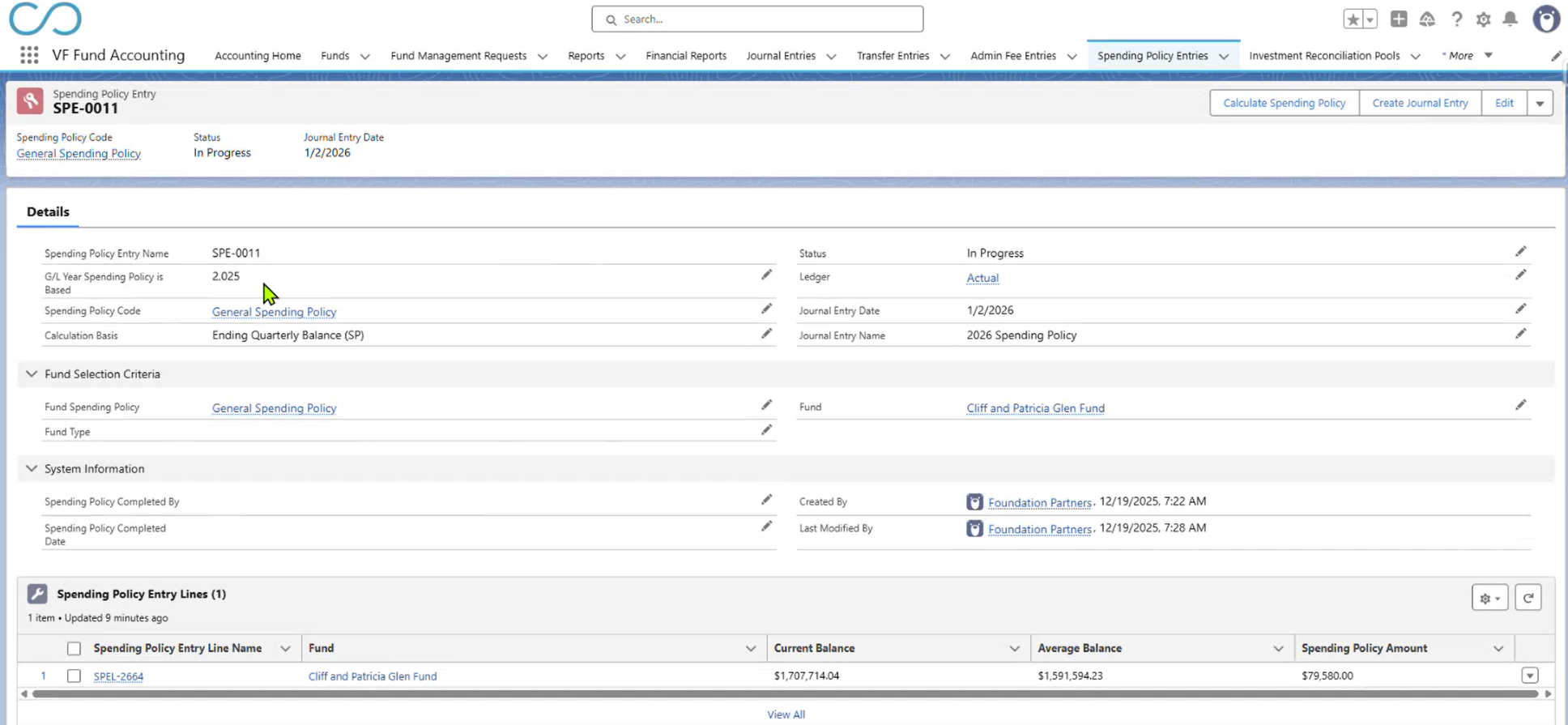
Spending Policy calculations are initiated from a Spending Policy Entry record. Creating a Spending Policy Entry starts the annual calculation process for the selected fiscal year. On the Spending Policy Entry:
- Select the Fiscal Year (e.g., 2025)
- Define the starting period/quarter
- Specify the number of quarters to include (e.g., 12 quarters)
- Choose the balance type (e.g., ending quarterly balance)
- Define fund selection criteria (policy category or individual fund)
- Enter Journal Entry details (Post Date and Description)
Although calculations are typically run for all funds under a policy category, they may also be run for a single fund.
This screenshot shows a Spending Policy Entry record configured for a 12-quarter calculation:
Spending Policy Calculation Results
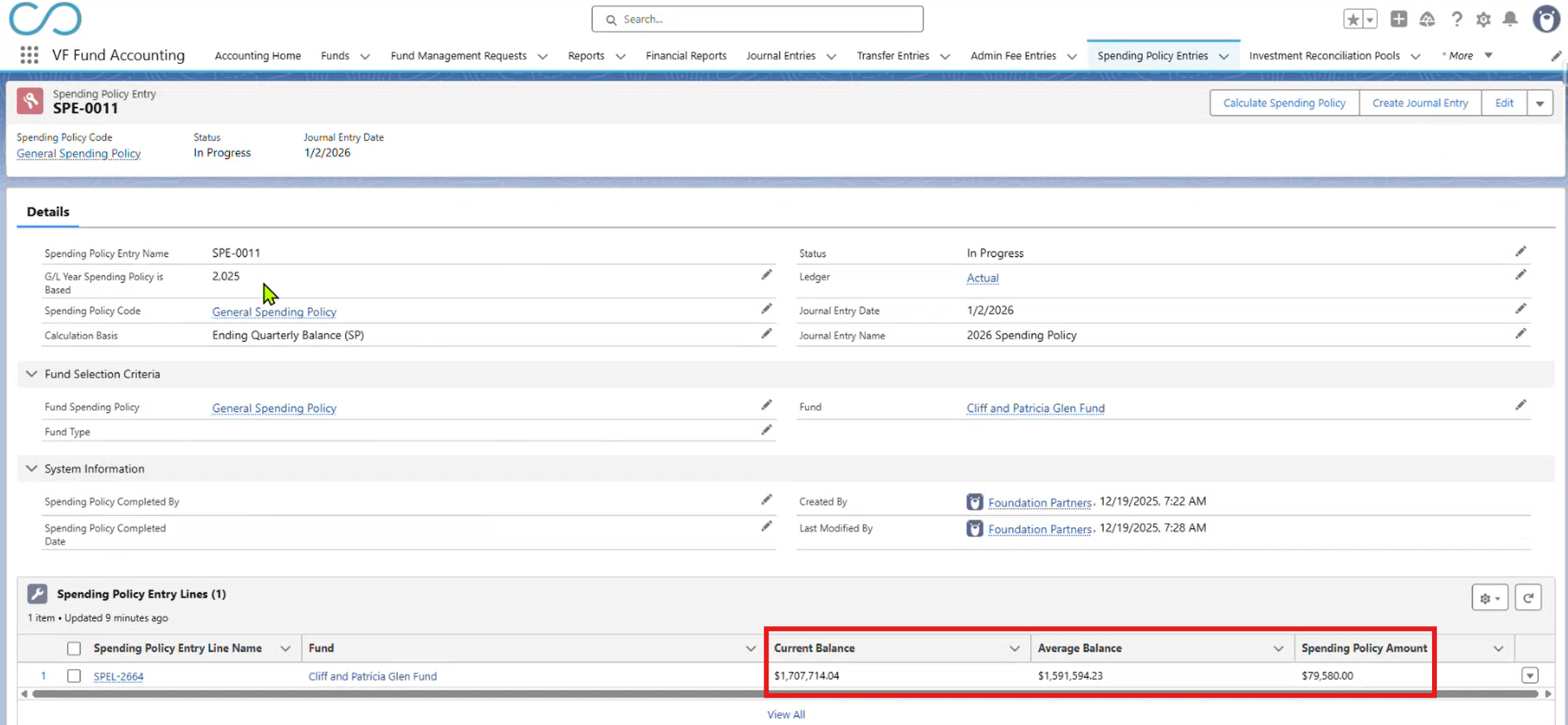
After the Spending Policy Entry is processed, results are generated for each included fund. Results include:
- Current fund balance
- Average balance across the defined multi-quarter period
- Calculated Spending Policy Amount (rate × average balance)
The Spending Policy Amount represents the annual spendable budget for the fund. Not all fund assets are always considered spendable; Spending Policy determines the portion that may be granted.
This screenshot shows Spending Policy calculation results including current balance, average balance, and calculated spendable amount:
Spending Policy Journal Entry
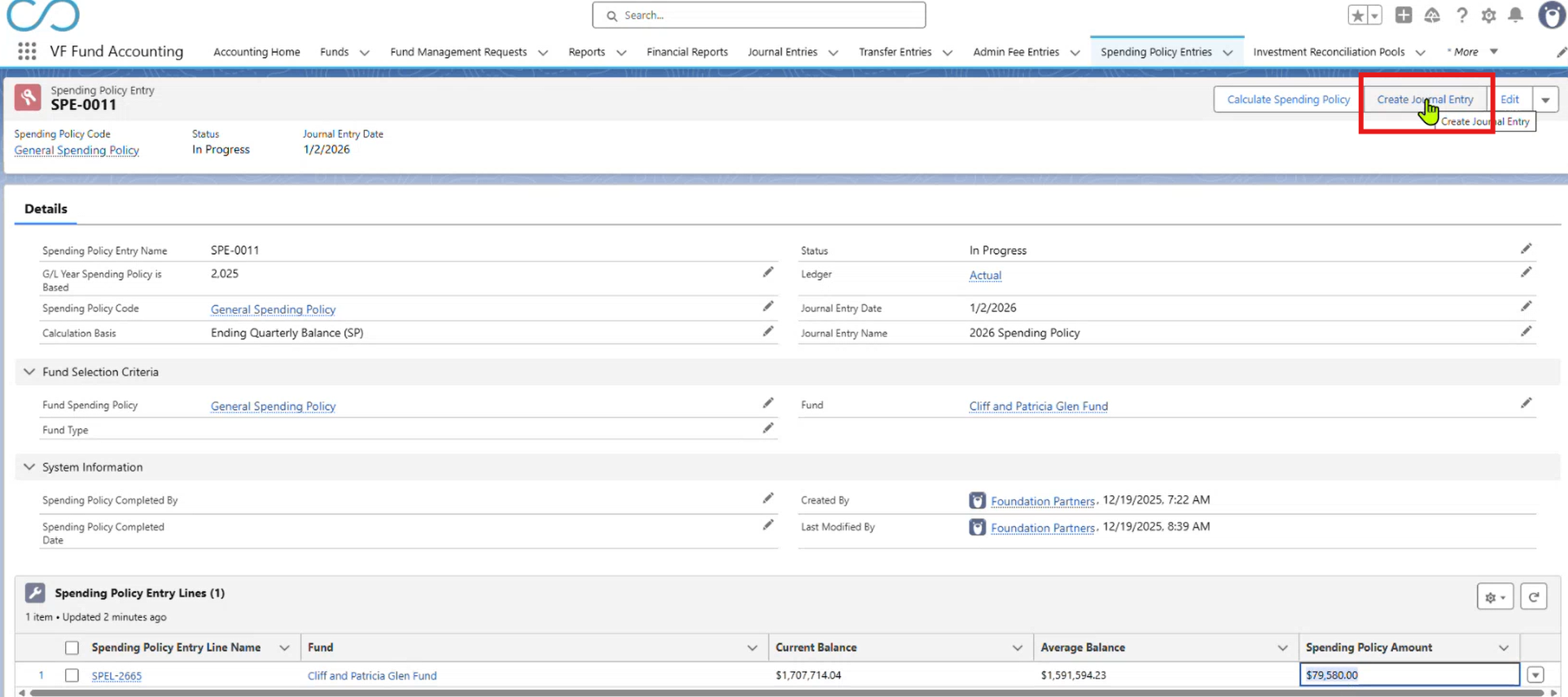
Once calculations are complete, a Journal Entry is created to record the Spending Policy Amount in the general ledger. The Journal Entry:
- Is posted using the date specified on the Spending Policy Entry
- Includes Journal Entry Lines for each applicable fund
- Reflects the calculated Spending Policy Amount as the fund’s spendable budget
This Journal Entry provides the accounting foundation that supports grant budgeting and downstream grantmaking activity.
These screenshots show the button to create a Journal Entry and Journal Entry Lines created from a Spending Policy calculation:

Related Documentation
For full process details, object definitions, automation, and budget timing, refer to: